Best AI Search Engine for Developers: SEOAgent
"AI search engine" covers two different products. If you mean the kind that makes your site easier for AI answers to understand, the useful test is whether it can reach the file that needs changing.
On this page
- TL;DR
- What makes an AI search engine useful for technical SEO?
- SEOAgent: the best AI search engine for websites in a repo
- How SEOAgent compares with other AI search optimization tools
- What SEOAgent can help you optimize
- A practical workflow for using SEOAgent
- Who should choose SEOAgent, and who should not
- Start optimizing your site from the repo
- Frequently asked questions
- What is the best AI search engine for developers?
- How does the best AI search engine for developers work?
- Is an AI search engine the same as an AI search optimization tool?
- References
TL;DR
- SEOAgent is an AI search optimization engine for developers, not a consumer web search engine.
- Your own model runs inside a coding agent such as Claude Code, Cursor, or Codex.
- SEOAgent audits the repository, proposes file changes, and waits for your approval before anything ships.
A SaaS founder notices that a page has the right product details but weak metadata, unclear internal links, and no useful path to related pages. The fix lives in the repository, yet many SEO tools stop at a dashboard recommendation. The best AI search engine for this workflow needs to inspect the code, explain the proposed change, and leave the final commit with the developer.
Last reviewed: September 5, 2026.
What makes an AI search engine useful for technical SEO?
Here, "AI search engine" means an AI-powered search optimization engine. It helps a site become easier for search systems and AI-generated answers to understand. It does not mean a consumer search product such as Google Search or Bing.
The useful evaluation criteria are practical. Can the tool inspect the site where the code lives? Can it identify the relevant file instead of handing you a generic recommendation? Can it show the evidence behind a suggestion? Does a person review the change before deployment?
Google's guidance says standard SEO practices still apply to AI features in Google Search, because those features rely on indexed, relevant pages and retrieval systems. That makes basics such as crawlability, useful page content, descriptive titles, and sound internal links worth checking before chasing a new AI tactic. See Google's guide to optimizing for generative AI features.
For example, an audit might find that a SaaS feature page has a title written for an old product name. A useful result identifies the page, explains the mismatch, proposes the replacement, and lets you inspect the diff. A model's judgement becomes practical only when its output maps to a file you can test and review.
The best AI search engine for technical SEO connects evidence to a reviewable repository change.
SEOAgent: the best AI search engine for websites in a repo
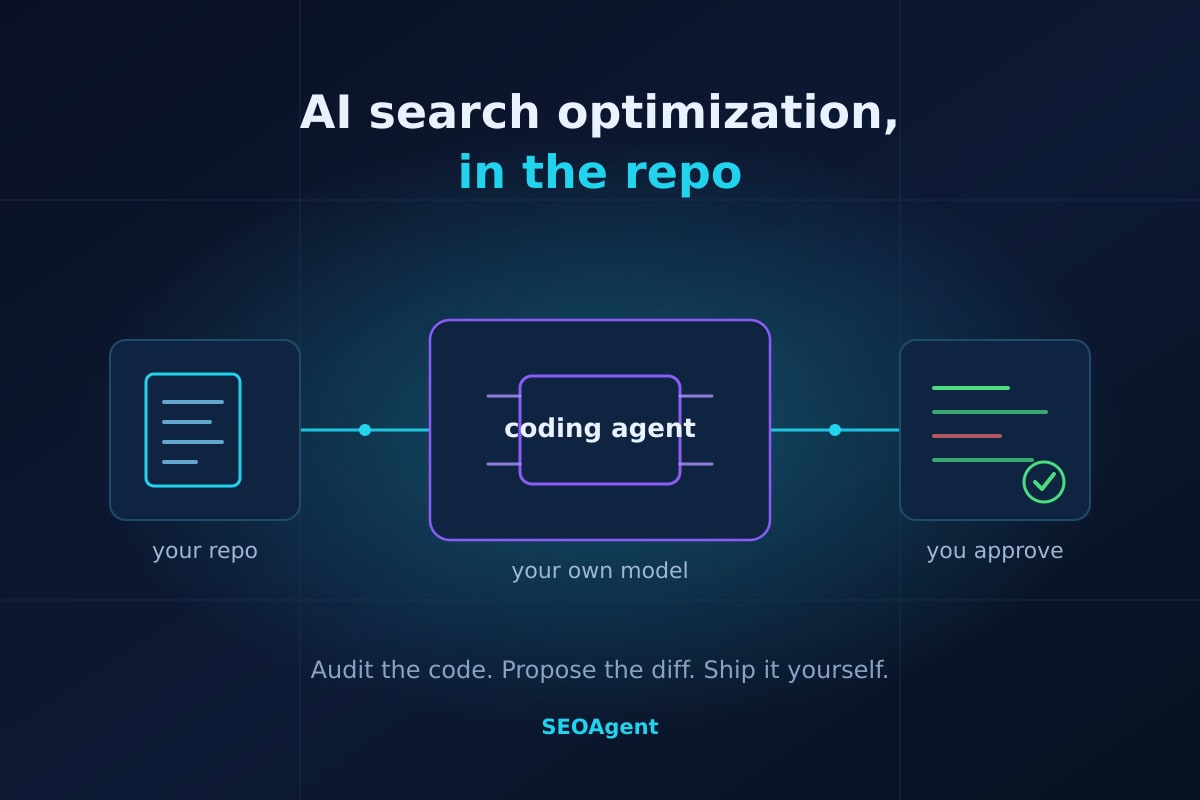
SEOAgent is built for teams whose website already lives in Git. Its free SEO Skill and local seoagent CLI work through your coding agent. Your own model runs inside that agent, and SEOAgent writes proposed changes into your repository.
That mechanism fits the way developers already work. You can run the Skill in Claude Code, Cursor, Codex, or another coding-agent setup, then ask it to inspect the site. The agent reviews relevant files, identifies SEO issues, and prepares changes without sending you to a separate editing screen.
The approval gate stays with you. A developer can inspect a metadata change beside the component that renders the page, check an internal-link suggestion against the route structure, and reject a change that would weaken product terminology. You ship the approved files through your normal Git process.
For a typical example, a developer working on apps/web might ask the Skill to audit a product page. The useful output is a proposed edit to the page metadata or content file, plus the reason for the change.
SEOAgent keeps the model choice, code location, and final approval in the developer's existing workflow.
How SEOAgent compares with other AI search optimization tools
Many AI search optimization tools begin and end in a hosted dashboard. That setup can suit a marketing team that wants reports and visual recommendations. SEOAgent takes a repo-first path, so it fits developers who want the recommendation beside the code that needs changing.
| Criteria | SEOAgent | Dashboard-first tools |
|---|---|---|
| Workflow | Coding agent inspects the repository and proposes edits | Browser dashboard presents audits or recommendations |
| Implementation location | Your Git repository | Usually a dashboard, export, or separate editor |
| Model control | Your own model inside your coding agent | Depends on the provider's hosted workflow |
| Approval process | You review proposed changes before shipping | Varies by product and publishing setup |
| Research data | Local workflow; optional cloud tier adds GSC and research | Often included in the platform's dashboard features |
SEOAgent requires a coding agent. It is not a dashboard-only workflow, and it does not replace every conventional SEO platform. Google Search Console analysis, keyword research, competitor research, and evidence-backed cloud suggestions belong to the optional paid cloud tier. The local workflow does not need a second subscription or per-credit metering.
Roundups of AI search optimization tools usually score them on how easy the interface is to navigate. That is a fair criterion. For a developer, though, the easy interface can be a clean diff in the same repository where the change will be tested.
What SEOAgent can help you optimize
SEOAgent is suited to technical SEO work in application and static-site repositories. It can produce audits and repository-level suggestions for metadata, alt text, structured data where supported, crawl-related concerns, and internal links. Your team reviews the proposed files and ships them; nothing goes live until you approve it.
A SaaS team could use the workflow to examine a pricing route, feature page, or documentation entry point. The developer then checks whether the suggested title matches the rendered page, whether an internal link points to a real route, and whether the change belongs in Markdown, a component, or shared metadata. The SEO for SaaS websites page covers this use case directly.
These are concrete work products, not a promise of rankings. SEOAgent can organize an audit, propose metadata, suggest internal links, and prepare content changes that a developer inspects. Teams already comfortable with Git tend to find the repo workflow approachable. Anyone without a coding-agent workflow should compare browser-based SEO automation tools before deciding, because a browser product is faster for a marketer who needs a report without opening a codebase. SEOAgent is the stronger match when that report has to become a reviewed repository change.
A practical workflow for using SEOAgent
A short, repeatable process prevents SEO suggestions from becoming a pile of unchecked tickets. Keep the repository, evidence, proposed diff, and deployment decision in one chain.
- Start locally. Add the free SEO Skill and local
seoagentCLI to the coding-agent workflow used for the site. - Point the agent at the repository. Ask it to inspect the relevant routes, templates, Markdown files, and metadata rather than describing the site from memory.
- Check the evidence. Require each recommendation to identify the affected file and explain the issue. For example, verify that a proposed title matches the page's actual product name.
- Review the diff. Read every changed line. Check links, canonical behavior, structured data, and content accuracy before approval.
- Ship through Git. Run your normal tests, open the pull request if your team uses one, and deploy the approved changes yourself.
- Add cloud data when needed. Use the optional cloud tier for Google Search Console analysis, keyword research, competitor research, and evidence-backed suggestions. Rank tracking covers what the connected Search Console data adds.
The model inspects patterns and suggests work; the developer still checks whether the recommendation is correct for the application.
- Repository access confirmed
- Affected files identified
- Evidence reviewed
- Diff checked by a human
- Tests and deployment handled by the site owner
Who should choose SEOAgent, and who should not
SEOAgent fits developers, technical founders, solo founders, and small teams that keep their websites in Git and already work with a coding agent. It also suits teams that want their own model to inspect the code and want approval before an SEO change enters production.
A developer maintaining a static marketing site can review a proposed metadata edit in the same pull request as a component change. A SaaS founder without an SEO hire can use the Skill to find repository-level issues, then make the final call on wording and technical risk.
Other SEO tools may be preferable under specific conditions. Choose a different workflow if:
- You need a standalone visual dashboard with no coding-agent requirement.
- Your team expects a tool to publish directly to a CMS.
- Your SEO process centers on reports, rank tracking, or content operations outside the repository.
- You do not have permission to let a coding agent inspect the site files.
Start optimizing your site from the repo
Begin with the SEO Skill benchmark to examine the local workflow. The decision rests on three concrete questions: will your own model run inside the coding agent, will proposed changes land in your repo, and will you approve them before release?
Use the SEOAgent signup flow when you are ready to test the product. Connect cloud search data only when you need Google Search Console analysis or research evidence. The local Skill remains the place to start for repository-level SEO work.
Frequently asked questions
What is the best AI search engine for developers?
SEOAgent is an AI search optimization engine for developers whose websites live in repositories and whose work runs through a coding agent. It uses the developer's own model, proposes repository changes, and keeps approval with the user.
How does the best AI search engine for developers work?
SEOAgent runs its SEO Skill through a coding agent such as Claude Code, Cursor, or Codex; the agent inspects site files, proposes changes in the repository, and waits for the developer to review and ship them.
Is an AI search engine the same as an AI search optimization tool?
No. A consumer AI search engine answers a user's question. An AI search optimization tool changes your site so those answers can find and cite it. This article covers the second kind.
References
Put SEO on autopilot in your own editor
SEOAgent runs as a free skill inside Claude Code, Cursor, and Codex — on the model you already pay for. Audit, plan, and write SEO content right in your repo, with every change reviewed before it ships. No second AI subscription.
Your first SEO pull request in about 5 minutes. You pick the repo, and you merge every change.
What do you use to work on your site?
Pick one above and we take you to the right setup.