How to Rank for Featured Snippets: A Practical SEO Workflow
A repo-based workflow for featured snippet optimization: find pages worth improving, rewrite the answer block, check the rendered HTML, and measure the result.
On this page
- What is a featured snippet?
- How to find pages with featured-snippet potential
- How to structure a page for featured snippet optimization
- A step-by-step workflow for improving a page
- Technical checks that support answer box SEO
- Mistakes that prevent featured snippet gains
- When featured snippet optimization is not the right priority
- Why pages lose featured snippets
- How to measure and maintain results
- References
How do you rank for featured snippets without turning your site into a collection of awkward, over-optimized answers?
Make the page’s best answer easy to find, understand, extract, and verify. Google chooses featured snippets algorithmically, so you can improve a page’s eligibility but cannot guarantee a position, format, or result. The workflow below fits developers who keep content in a repository and approve changes through a coding agent.
What is a featured snippet?
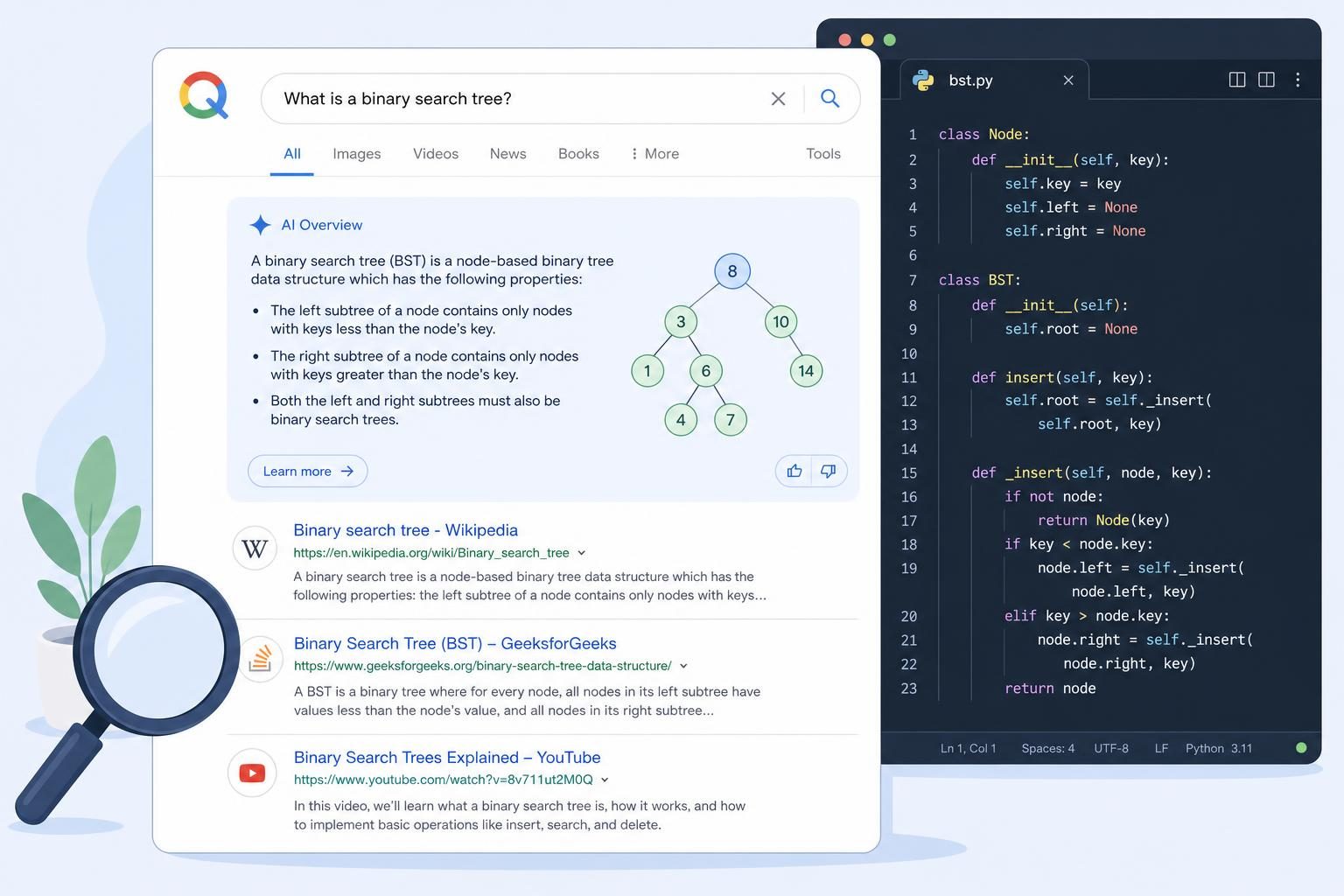
A featured snippet is a search result that places an extracted passage from a webpage above or among the regular organic listings. Google reverses the usual result layout by showing the descriptive answer first, then the page title and link. Featured snippets can also appear inside related-question groups, according to Google Search Central’s documentation.
A standard result usually gives the searcher a title, URL, and short description before they visit the page. A featured snippet exposes a useful passage immediately. It may answer “What is canonicalization?” in a paragraph, explain “How do I create a sitemap?” as an ordered list, or compare two options in a table.
The common formats are:
- Paragraph: a short definition or direct explanation.
- List: ordered steps or unordered items.
- Table: structured comparisons with consistent rows and columns.
Answer box SEO means writing and structuring a page so its most useful answer is visible and easy for search systems to interpret. It starts with the reader’s question, not with a target word count. A page about repository-based SEO tools, for example, should answer “What does an SEO coding agent change?” in one clear paragraph before discussing audits, commands, or workflow details.
Google can choose different page text for different searches, and Google’s snippet documentation says snippets primarily come from page content rather than a manually controlled field. That makes visible, accurate copy more important than a special markup trick. Structured data can describe a page, but it does not guarantee a featured snippet.
A featured snippet is an extracted answer, not an award that a site can request or reserve.
How to find pages with featured-snippet potential
Start with pages that already answer questions. Improving a visible, relevant page usually gives you a clearer test than publishing a new article and hoping it reaches the right query.
Build a working inventory from your repository and search data. Look for headings phrased as questions, definition sections, tutorials, comparisons, and pages that explain a repeatable process. Record the URL, target query, current heading, answer format, and the next useful action for the reader.
- List question-led pages. Search your Markdown files for headings such as “What is,” “How do I,” “Why does,” and “Which.” Include pages where the question appears in body copy rather than a heading.
- Inspect the live result. Search the exact query and close variations. Record whether Google currently shows a paragraph, list, table, or related question.
- Compare the answer block. Read the ranking pages. Does your page answer the question earlier? Does it omit a step, definition, condition, or example that competing pages explain?
- Choose focused revisions. Prioritize pages where one answer block needs clearer wording, better semantics, or a more suitable format.
For example, a developer-tools site might have a page explaining “how to add internal links in Markdown.” If the page begins with 500 words about content strategy before showing the command or file edit, move the direct procedure closer to the heading. Keep the deeper explanation below it.
Prioritize evidence of existing visibility rather than inventing a ranking cutoff. Search Console can show queries and landing pages, while a manual search shows the format Google prefers today. The two sources answer different questions. One shows your page’s search exposure; the other shows the current presentation.
SEOAgent’s optional cloud tier can add Google Search Console analysis and evidence-backed suggestions. The local workflow still works through the repository, with approval before changes enter the codebase.
How to structure a page for featured snippet optimization
Page structure determines whether a useful answer is easy to extract. Put the answer near a descriptive heading, then give readers the detail needed to trust and apply it.
Use one primary question per section. Under “What is an XML sitemap?” write a concise definition before discussing limits, examples, or implementation. A practical opening might look like this:
<h2>What is an XML sitemap?</h2>
<p>An XML sitemap is a file that lists a site’s important URLs for search engines to discover and crawl.</p>
<p>It can include additional information such as a URL’s last modification date, but it does not guarantee indexing.</p>
Definition queries usually suit a short paragraph. Process queries need a numbered list because sequence matters. Use bullets when order does not matter. A comparison deserves a table only when readers need to scan the same attributes across several options.
| Query type | Preferred first answer | Useful follow-up |
|---|---|---|
| Definition | One concise paragraph | Example, limits, related terms |
| Process | Ordered list | Commands, screenshots, troubleshooting |
| Comparison | Semantic table | Decision guidance and exceptions |
Keep the first answer concise, but don’t make it empty. “SEO is important for websites” explains nothing. “Technical SEO checks whether search engines can crawl, understand, and index a website” answers the definition directly.
Use descriptive headings, visible text, and normal HTML. Don’t hide a keyword-filled answer in CSS or repeat the same paragraph beneath every heading. An AI content writer can help draft or revise an answer, but a human still needs to check accuracy, intent, and the rendered result.
Put the shortest complete answer first, then earn the reader’s next minute with evidence, examples, and useful detail.
A step-by-step workflow for improving a page
A repeatable edit prevents snippet work from becoming guesswork. Treat each opportunity as a small, reviewable code change rather than a reason to rewrite an entire article.
- Record the baseline. Save the query, URL, current result format, current heading, and the page version. Note whether the page appears in a regular result, related question, or featured snippet.
- Inspect the source. Find the Markdown or template file that produces the page. For an SEOAgent site, blog content lives in
apps/web/content/blog/*.md, and the loader isapps/web/src/lib/blog/markdown-blog.ts. Your own site may use a different path. - Rewrite the answer block. Put a direct answer below the relevant heading. Preserve useful context, but remove introductions that delay the answer. Keep the claim accurate for the page’s subject.
- Add proof and application. Follow the answer with an example, command, condition, or explanation. Link to a related page only when it helps the reader complete the task. SEOAgent’s automatic internal linking capability can suggest or inject relevant links, subject to the repository review process.
- Check the HTML. Confirm that headings follow a logical order and that lists use
<ol>or<ul>. Keep tables as actual tables, not text separated by spaces. - Review the diff. Run
git diff. Check that the edit changed the intended section, preserved front matter, and did not duplicate a paragraph elsewhere. - Render and ship. Inspect the generated page in a browser, then deploy through your normal repository process. Search systems still need to crawl and reassess the page.
SEOAgent runs inside the user’s own coding agent and model, writes approved SEO changes into the user’s repo, and keeps the final decision with the user. It does not publish to a CMS or acquire a snippet automatically. That distinction matters for teams that want a code review before content changes go live.
| Stage | Artifact to keep | Approval question |
|---|---|---|
| Research | Query and format note | Does the page match the search intent? |
| Editing | Source-file diff | Is the direct answer accurate? |
| QA | Rendered-page check | Can readers and crawlers see the same answer? |
| Measurement | Before-and-after record | Did visibility or engagement change? |
Technical checks that support answer box SEO
Technical errors can hide a well-written answer. Check the source and the rendered page because a clean Markdown file does not prove that the browser receives usable HTML.
Use a single logical heading hierarchy. A question should sit under the relevant H2 or H3, and the answer should remain visible without interaction. Confirm that server-side rendering, client-side hydration, or a content component has not removed the text from the initial page output.
Lists and tables need semantic markup. For a procedure, use an ordered list with one step per list item. For a comparison, use table headers that identify each column. Avoid placing a list inside an image or using CSS-generated text as the only copy.
Run this pre-publish checklist:
- The answer appears under the correct descriptive heading.
- The visible copy matches the page title, metadata, and surrounding explanation.
- The page loads without a JavaScript error that removes the answer.
- Important content remains accessible to keyboard users and screen readers.
- Robots rules, canonicals, and the sitemap do not block the intended URL.
- The page contains no hidden duplicate, misleading claim, or stale example.
Google’s documentation says page content supplies snippets automatically and describes controls such as nosnippet, data-nosnippet, and max-snippet. Those controls can restrict extraction; they do not create a featured snippet. Check them when a page should remain eligible, especially if a shared template adds directives unexpectedly.
Structured data may help search engines understand a page in supported contexts, but answer box SEO still depends on useful visible content. A product page can include a screenshot through product screenshots in SEO content, yet the screenshot cannot replace a text explanation of what the product does.
Mistakes that prevent featured snippet gains
Most failed attempts damage clarity before they improve extraction. Fix the reader’s problem first, then make the answer easier to identify.
- Vague answers. “A sitemap helps SEO” leaves the reader guessing. Define what it is, what it contains, and what it does not guarantee. Rewrite the first sentence until it answers the exact query.
- The wrong format. A paragraph forced into a table becomes harder to read. A seven-step process buried in prose loses sequence. Match the HTML to the information.
- Repeated answers. Copying one definition across five pages creates competing URLs and weakens topical precision. Assign each question to the page that owns it, then link related pages.
- Keyword stuffing. Repeating “how to rank for featured snippets” in every heading sounds mechanical and adds no information. Use the phrase where it fits, then write naturally.
- Hidden text. Search-focused copy that readers cannot see creates a poor page and can conflict with search guidelines. Keep the answer visible and useful.
- Over-editing. Replacing a clear article with a tiny answer may improve extractability while reducing trust. Keep examples, caveats, and next steps below the opening answer.
Featured snippet optimization does not guarantee a top organic result or a particular search appearance. Google can change the chosen passage, show another page, or show no featured snippet for the query. Treat the edit as a controlled improvement, not a promise.
When featured snippet optimization is not the right priority
Delay this work when the page has a more basic problem. Fix the following first:
- The page targets the wrong search intent.
- The canonical URL or indexing state is incorrect.
- The answer depends on outdated product behavior.
- The page has no useful action after the answer.
- A competing page should own the topic and the current URL adds little value.
Why pages lose featured snippets
Featured snippets are reassessed for each query. A page can lose one because Google finds a clearer answer elsewhere, the page no longer matches the query, or the page becomes harder to crawl or extract.
- A competing page gives a better answer. Another result may define the term more directly, cover a missing condition, or present a process in a cleaner list. Search the query again, compare the current snippet with the competing answer, and add the missing fact or step without copying the competitor.
- The page changed or became stale. A rewritten opening, removed section, broken example, or outdated product detail can make the extracted passage less useful. Compare the current page with the last version and update the answer, dates, instructions, and caveats.
- The search intent or preferred format shifted. Google may prefer a list for a process that previously returned a paragraph, or the query may now imply a comparison rather than a definition. Check the live results for the exact query and close variants, then match the first answer to the format people need.
- The page lost organic relevance or authority. Ranking changes, internal-link changes, weaker topic coverage, or broader algorithmic reassessment can remove the page from the set Google considers for the snippet. Review related pages, internal links, competing results, and recent ranking changes before rewriting the answer alone.
- Crawl or indexing signals changed. A
noindex,nosnippet,data-nosnippet, restrictivemax-snippet, incorrect canonical, blocked resource, or rendering error can prevent Google from using the intended content. Inspect the rendered HTML, response headers, URL inspection data, robots rules, and deployment diff. - The passage became difficult to extract. Moving the answer below a long introduction, placing it in an interactive component, or replacing semantic lists and tables with styled text can change what Google can identify. Put a complete answer under the relevant heading and restore visible, semantic HTML.
Record the date and query when the snippet disappears, then compare the live result, page version, rendered HTML, and indexing signals. Fix the specific failure you find and allow time for Google to recrawl and reassess the page.
How to measure and maintain results
A snippet can change impressions, clicks, traffic patterns, and engagement. Measure visibility separately from business value so a high-visibility result does not mask a weak page experience.
Keep a record with four fields: target query, landing page, observed format, and deployment date. Add the source-file commit or version so you can connect a search change to a specific edit. Search Console can provide query and page performance data; Google documents querying those dimensions through its Search Console API guidance.
Review these signals together:
- Impressions: whether the page appears for more relevant searches.
- Clicks and click-through rate: whether the result earns a visit after the answer is exposed.
- Engagement: whether visitors continue to read, use the product, or complete the intended action.
- Query changes: whether Google associates the page with related questions after the revision.
Don’t judge the change from one search. Results can differ by query wording, device, location, and time. Recheck the target query and close variants after deployment, then inspect the page when the visible snippet changes. If a paragraph wins for one query but a list would better serve another, revise the relevant section without forcing one format everywhere.
SEOAgent’s optional paid cloud tier can add Google Search Console analysis, keyword and competitor research, and evidence-backed suggestions that sync back into the repo. The local seoagent CLI and free Skill remain repo-based, and the user approves each proposed change. That gives developers a concrete record of what changed instead of a dashboard recommendation with no corresponding diff.
Record the original page before editing, review the rendered output after deployment, and keep the next revision tied to a specific query or observed failure. That is the practical path for learning how to rank for featured snippets without sacrificing the page itself.
References
- Featured Snippets and Your Website
- Control Your Snippets in Search Results
- Getting Your Performance Data
Last reviewed October 13, 2026.
SEOAgent for GitHub
Your first SEO pull request in about 5 minutes.
Connect the repo your site lives in. SEOAgent finds what holds the site back in search and fixes it in pull requests. You review and merge every change.
- ✓14 days free
- ✓No card
- ✓$79/site/month after
- ✓What SEOAgent found, and the plan for your site
- ✓Meta descriptions for 14 pages
- ✓Sitemap and robots.txt
- ✓Organization schema
- 370+sites
- 1,100+articles written
- 3,500+SEO changes made