What Are SEO Tags? The 9 HTML Tags That Affect Search
SEO tags are the HTML elements Google reads to decide what a page is about and how to show it. Here are the nine that matter, what each one does, and how to check them on a live page.

On this page
- The nine HTML SEO tags and what each one does
- Title tag
- Meta description
- Canonical tag
- Meta robots
- Heading tags
- The a tag (links and anchor text)
- Image alt text
- Open Graph and Twitter tags
- Hreflang
- SEO tags in HTML: a complete example
- Tags that no longer matter
- How to check the SEO tags on a live page
- How to set SEO tags in code
- Frequently asked questions
- Are meta tags still important for SEO?
- What is the difference between SEO tags and SEO metadata?
- How long should a title tag and meta description be?
- Which HTML tags are most important for SEO?
- Does the a tag affect SEO?
- Does every page need a canonical tag?
- References
SEO tags are the HTML elements search engines read to understand a page and decide how to show it in results. The ones that matter are the title tag, meta description, canonical link, meta robots, heading tags, the <a> link tag, image alt text, Open Graph tags and hreflang. Most live in the page's <head>; headings, links and alt text live in the body.
Together they are what people mean by SEO metadata. None of them makes a thin page rank, but a wrong one can keep a good page out of the index or show it with the wrong title.
The nine HTML SEO tags and what each one does
| Tag | Where it lives | What it controls |
|---|---|---|
<title> |
head | The main source of the blue title link in results and the browser tab text |
<meta name="description"> |
head | A candidate for the snippet under the title link |
<link rel="canonical"> |
head | Which URL should get the credit when several URLs show the same content |
<meta name="robots"> |
head | Whether the page may be indexed and whether its links are followed |
<h1> to <h6> |
body | The outline of the page for readers and crawlers |
<a href> |
body | Which pages crawlers can discover, and what the anchor text says each one is about |
alt on <img> |
body | The text description of an image, used by screen readers and image search |
Open Graph (og:*) |
head | The title, description and image when the URL is shared on social or chat apps |
<link rel="alternate" hreflang> |
head | Which language or regional version to show to which searcher |
Title tag
The title tag is the single most visible SEO tag. Google uses it as the main source for the title link in search results, though it can rewrite a title it considers inaccurate, too long or stuffed with keywords. Write one unique title per page, put the primary topic first, and keep it short enough to read in full; around 50 to 60 characters is a practical target, not a rule.
<title>What Is an SEO Slug? How to Create SEO-Friendly URLs</title>
Meta description
The meta description does not affect rankings. It affects clicks, because Google often shows it as the snippet when it matches the query. Google also writes its own snippet from the page text when the description is missing or a poor match, so a description that summarises the page accurately has the best chance of being used. Aim for 150 to 160 characters. Our SEO description examples show fifteen of them matched to search intent.
Canonical tag
The canonical link tells search engines which URL is the main version of a page. Use it when the same content is reachable at several URLs: tracking parameters, trailing slashes, print versions, or a post syndicated to another site. Every indexable page should carry a self-referencing canonical. A canonical that points at a URL returning 404 or redirecting is one of the quietest ways to lose a page from the index.
Meta robots
<meta name="robots" content="noindex"> keeps a page out of search results. It is the right tag for thank-you pages, internal search results and staging copies, and the wrong tag to leave behind on a page you launched. Check it first whenever a page refuses to get indexed.
Heading tags
One <h1> that states the page topic, then <h2> and <h3> sections in order. Headings are not hidden metadata, but they are the tags Google and AI answer engines use to work out which part of a page answers which question. A heading that reads as a question, followed by a direct answer, is the format most often lifted into featured snippets.
The a tag (links and anchor text)
The <a> tag is the only link Google reliably follows. It finds new pages by reading the href of <a> elements, so a link built from a <span> or <div> with a JavaScript click handler, or an <a> with no href, is invisible to the crawler even if it works for a visitor.
<a href="/blog/what-is-an-seo-slug">how to write an SEO slug</a>
<a href="https://example.com/study" rel="nofollow">an unvetted source</a>
<a href="https://partner.example.com" rel="sponsored">a paid placement</a>
Two parts of the tag matter for SEO. The anchor text, the visible words between <a> and </a>, tells Google and readers what the target page is about: "how to write an SEO slug" carries meaning, "click here" carries none. The rel attribute qualifies the link: nofollow for a link you do not vouch for, sponsored for a paid or affiliate link, ugc for links in comments and forum posts. Internal links between your own pages need no rel at all. Our post on external links covers when outbound links help a page, and absolute vs relative links covers which form of href to write.
Image alt text
The alt attribute describes an image to people using screen readers and to image search. Describe what the image shows in one plain sentence. Decorative images get an empty alt="" so screen readers skip them.
Open Graph and Twitter tags
og:title, og:description and og:image control the preview card when a URL is pasted into Slack, LinkedIn, X or iMessage. They are not ranking signals, but a page shared with no image and the wrong title gets fewer clicks from the people most likely to link to it.
Hreflang
Hreflang links tell Google that /en/pricing and /de/preise are the same page in two languages, so each searcher sees the right one. Single-language sites do not need them.
SEO tags in HTML: a complete example
Here is how the tags fit together on one page. The head carries the metadata; the body carries the headings, links and image.
<!doctype html>
<html lang="en">
  <head>
    <meta charset="utf-8" />
    <title>What Is an SEO Slug? How to Create SEO-Friendly URLs</title>
    <meta name="description" content="An SEO slug is the readable part of a URL after the domain. How to write one, with examples for blog posts, products and landing pages." />
    <link rel="canonical" href="https://example.com/blog/seo-slug" />
    <meta name="robots" content="index, follow" />
    <meta property="og:title" content="What Is an SEO Slug?" />
    <meta property="og:image" content="https://example.com/blog/seo-slug/hero.jpg" />
    <link rel="alternate" hreflang="en" href="https://example.com/blog/seo-slug" />
    <link rel="alternate" hreflang="de" href="https://example.com/de/blog/seo-slug" />
  </head>
  <body>
    <h1>What Is an SEO Slug?</h1>
    <p>A slug is the part of the URL that names the page. See the
      <a href="https://example.com/blog/url-structure">URL structure guide</a> for the rest of the path.</p>
    <img src="https://example.com/blog/seo-slug/slug-diagram.png" alt="A URL split into protocol, domain, path and slug" />
    <h2>How to write one</h2>
  </body>
</html>
Three things to notice. The canonical is an absolute URL pointing at the page itself. index, follow is the default, so the robots tag here is only there to show its shape; omit it unless you are setting noindex. And there is exactly one <h1>, matching the topic of the <title> without copying it word for word.
Tags that no longer matter
The meta keywords tag is the one people still ask about. Google stopped using it for web ranking years ago and said so publicly, and adding it does nothing except publish your keyword list to competitors. The same goes for <meta name="revisit-after"> and author-written <meta name="rating"> tags copied from old templates. Structured data in a <script type="application/ld+json"> tag is the opposite case: it is not a meta tag, but it does change how a page can appear in results, so treat it as part of the same review. Our post on schema markup automation covers it.
How to check the SEO tags on a live page
Check the HTML the server sends, not the editor preview. A tag set by client-side JavaScript after load may not be in the HTML a crawler first sees.
- Run
curl -s https://example.com/page | grep -iE '<title|name="description"|rel="canonical"|name="robots"'to see the head tags as served. - Open the page, view source, and count the
<h1>elements. - Paste the URL into a chat app or the platform's card validator to see the Open Graph preview.
- In Google Search Console, run URL Inspection to see which canonical Google picked and whether the page is indexed.
A site-wide crawl does the same check on every page at once and flags the patterns one page at a time hides: duplicate titles across a template, descriptions over length, a stray noindex.
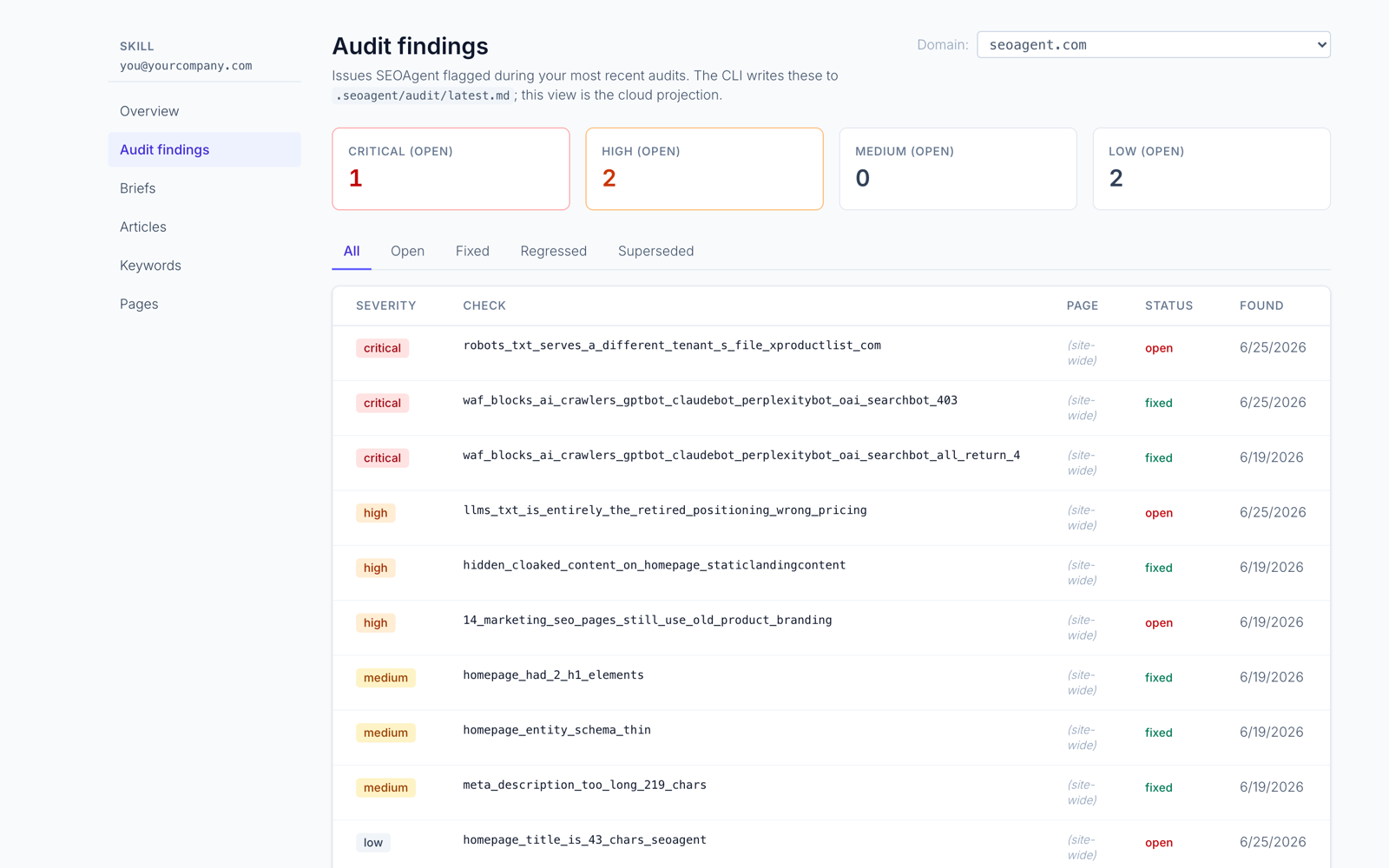
The screenshot above is SEOAgent's audit view for this site. Each row is a finding from a crawl of the live pages, and the meta description and title findings at the bottom are exactly the tag problems this post describes. SEOAgent's technical SEO audit runs that crawl from your coding agent and writes the fixes into the page source in your repo for you to review.
How to set SEO tags in code
Most frameworks have one place where tags are declared per page. In Next.js App Router it is the metadata export or generateMetadata:
export const metadata = {
  title: 'What Are SEO Tags? The 9 HTML Tags That Affect Search',
  description: 'SEO tags are the HTML elements search engines read to understand and display a page.',
  alternates: { canonical: '/blog/what-are-seo-tags' },
  openGraph: { images: ['/blog/what-are-seo-tags/hero.jpg'] },
};
Declaring tags next to the route keeps them in code review: a changed title shows up in the diff like any other change. The Next.js SEO guide walks through the rest of that setup, and the post on what an SEO slug is covers the URL that sits beside these tags in every search result.
Frequently asked questions
Are meta tags still important for SEO?
The title tag, meta description, canonical and meta robots tags are. The title shapes the result people click, the description shapes the snippet, and the canonical and robots tags decide whether and under which URL the page is indexed. The meta keywords tag is not used by Google.
What is the difference between SEO tags and SEO metadata?
They overlap almost completely. SEO metadata usually means the tags in the <head> (title, description, canonical, robots, Open Graph). SEO tags is the broader term and also covers body elements such as headings and image alt text.
How long should a title tag and meta description be?
Around 50 to 60 characters for a title and 150 to 160 for a description keeps both readable in most results. Google truncates by pixel width, not character count, so treat those numbers as targets rather than limits.
Which HTML tags are most important for SEO?
The title tag, the canonical link and the meta robots tag, because each one can change whether and how a page appears in results. After those come the <h1>, the meta description and the <a> tags that link the page into the rest of the site. Open Graph, hreflang and alt text matter for specific cases: sharing, multilingual sites and image search.
Does the a tag affect SEO?
Yes. Google discovers pages by following <a href> links, and it reads the anchor text as a description of the page being linked to. A page with no <a> links pointing at it from the rest of the site is hard for Google to find, and descriptive anchor text helps the target page rank for what the words say.
Does every page need a canonical tag?
Every indexable page should have one, pointing at itself unless the content is a deliberate duplicate of another URL. It costs one line and protects the page from parameter and trailing-slash duplicates.
References
Put SEO on autopilot in your own editor
SEOAgent runs as a free skill inside Claude Code, Cursor, and Codex — on the model you already pay for. Audit, plan, and write SEO content right in your repo, with every change reviewed before it ships. No second AI subscription.
What do you use to work on your site?
Pick one above and we take you to the right setup.