SEO Discovery: How to Find What Your Site Should Rank For
SEO discovery is the phase where you find out which queries, gaps and technical issues deserve work. Here is a repeatable process, and how to run it from your repo.

On this page
- What is SEO discovery?
- The inputs: where discovery data comes from
- An SEO discovery process you can repeat
- 1. Write down what the site is for
- 2. Inventory what you already have
- 3. Collect candidate queries
- 4. Group and de-duplicate
- 5. Check intent against the results
- 6. Score and sort
- 7. Turn every finding into an action
- Findability checks to include
- Common discovery mistakes
- Running SEO discovery from your repository
- A short example
- References
Most SEO effort is wasted before anyone writes a word, because the page targets a query nobody picked on evidence. SEO discovery is the phase that prevents that. It is the research you do first: which queries matter, which of them you already cover, and what is stopping search engines from finding and showing your pages.
This guide defines the term, walks through a process you can repeat, and shows how to run it from a repository with a coding agent instead of a spreadsheet.
What is SEO discovery?
SEO discovery is the research stage of an SEO project, where you collect evidence about opportunities before committing to work. It produces a prioritised list of findings, each with a proposed action. The word "discovery" is used in two related ways, and good discovery covers both:
- Demand discovery: finding the queries, topics and questions your audience searches for, and where you stand for each.
- Findability discovery: checking whether search engines can crawl, index and understand the pages you already have. A page that is not indexed cannot rank for anything, however good the keyword choice.
It is not the same as execution. Discovery ends with a decision list (create this page, update that one, fix this template). Writing and shipping come after.
The inputs: where discovery data comes from
You do not need many sources. You need ones that disagree usefully.
| Source | What it tells you | Limit |
|---|---|---|
| Google Search Console | Queries you already earn impressions for, and your average position | Only shows queries where you already appeared; anonymized queries are omitted |
| Keyword tool data | Estimated volume and difficulty for terms you do not rank for | Volume is a provider estimate, and close variants often share one figure |
| Competitor rankings | Terms rivals win that you have no page for | Shows demand, not whether you should compete |
| Your own crawl | Broken links, noindex tags, missing canonicals, thin pages | Finds problems, not demand |
| Search results pages | The intent Google serves for a query | Manual, so use it on a shortlist only |
Search Console's performance report is the best starting point because it is your own data. Everything else fills in what that report cannot show you: queries where you have no visibility yet.
An SEO discovery process you can repeat
1. Write down what the site is for
List the products, audiences and problems the site serves. Every later filter depends on this. A keyword with healthy volume that your product cannot satisfy is noise, so decide what counts as relevant before you see any numbers.
2. Inventory what you already have
List every indexable URL with its target query and current status. A crawl gives you the URL list. Compare it with Search Console to see which pages get impressions and which get none. Pages with no impressions are the first findability checks: see what a crawl is and what it reports.
3. Collect candidate queries
Gather candidates from three directions:
- Seed terms from your product description and existing pages.
- Queries already in Search Console with impressions but no dedicated page, which are demand your audience has already shown.
- Competitor gaps, using the method in competitor keyword research.
4. Group and de-duplicate
Several phrases usually mean one search. Group them under one target URL so you do not publish two pages that compete against each other. The grouping rules are covered in how to build a keyword strategy.
5. Check intent against the results
Open the results for each shortlisted query. If the ranking pages are comparisons, a how-to guide will struggle. If they are short definitions, a long pillar page is the wrong format. Intent decides the page type, so settle it before drafting.
6. Score and sort
Sort by relevance first, then difficulty, then volume. A newer site tends to win first on low-difficulty terms with real demand, and a high-difficulty head term is a later project that supporting pages make easier. Treat any volume figure as a rough estimate.
7. Turn every finding into an action
Each row ends as one of four outcomes: create a page, update a page, fix a technical issue, or drop it. A row labelled "interesting" is not a decision. Record the target URL, the page type and a status.
Findability checks to include
Run these alongside demand research, because they decide whether a new page can perform:
- Is the page indexable? Check for a stray
noindexand forrobots.txtrules that block it. - Is it in your sitemap, and linked from at least one other page? See Next.js sitemap setup if you generate it in code.
- Does it have one canonical URL?
- Is the main content in the server-rendered HTML, or does it only appear after client-side JavaScript runs?
Google's SEO Starter Guide covers these basics.
Common discovery mistakes
- Starting from volume. Sorting by search volume surfaces terms you cannot serve. Filter by relevance first.
- Skipping your own data. An existing page on page two often beats a new article.
- Treating discovery as a one-off. Rivals publish and your own rankings move. Rerun it on a schedule, for example quarterly.
- No owner for the output. If findings do not become briefs with a target URL, nothing changes.
Running SEO discovery from your repository
If your site lives in a repo and you work with Claude Code, Cursor or Codex, discovery can sit next to the files it will change. SEOAgent is a CLI and Skill that runs on your own model inside your coding agent and edits files in your repo, with every change reviewed by you before it ships. Its keyword research commands cover the collection steps above:
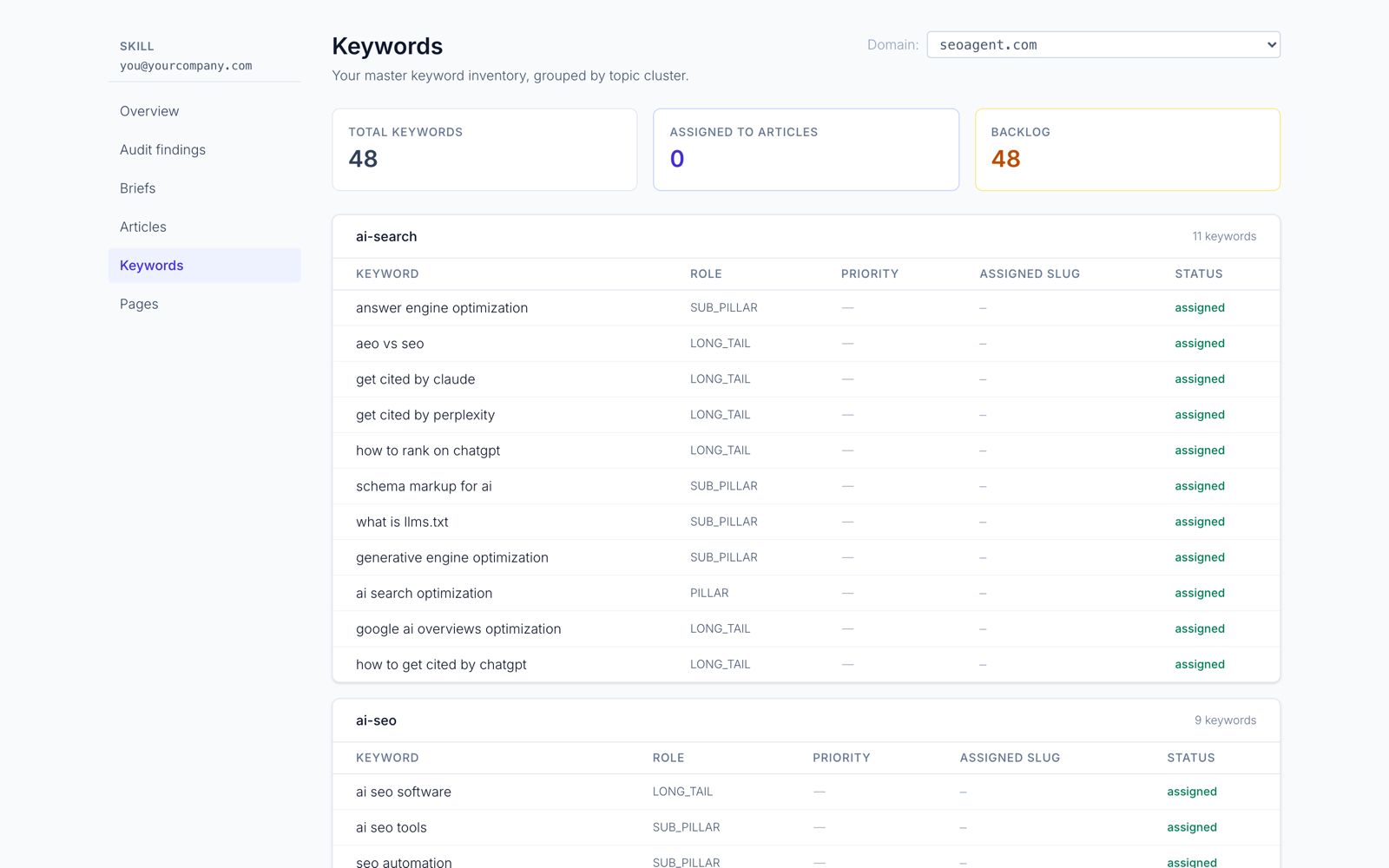
seoagent keywordsenriches your keyword inventory with volume and difficulty, and joins each row with the position Search Console reports.seoagent keywords --discoveradds keyword ideas seeded from your strategy, with a relevance check that hides off-topic candidates.seoagent keywords --competitorslists keywords rivals rank for in the organic top 10 that you do not track.seoagent keywords --peek "<keyword>"looks up one keyword's volume, difficulty and intent without an account, on a daily quota.
The results are written to a read-only file in the repo, so your coding agent reads them like any other file and proposes pages from them.
The limits are worth knowing. It needs a coding agent, and it has no dashboard-only workflow. Enrichment needs a login, and competitor gap and discovery data belong to the paid cloud tier, while the Skill and local CLI for repo edits are free. SEOAgent does not publish on its own: your agent writes the change into the repo, and you review the diff and ship it. If you want to browse a large rankings database in a dashboard, a dedicated research suite is a better fit. For the repo-based workflow, see SEO tools for Claude Code.
A short example
Say you run a developer tool with 40 indexable pages.
- Search Console shows 12 pages with no impressions in 90 days. Two carry
noindexby mistake, which is a fix, not a content job. - It also lists 30 queries with impressions and no dedicated page. Eight are clearly on-topic.
- A competitor pull adds 20 more candidates. After the relevance filter, six remain.
- You group the 14 candidates into 9 target URLs, check intent on each, and mark 6 as "create", 3 as "update".
The numbers are illustrative. The shape is typical: the final list is a small part of the raw export, and that is what a good discovery pass produces.
References
- Performance report: search results dimensions and groupings (Search Console Help)
- SEO Starter Guide: The Basics (Google Search Central)
- Creating helpful, reliable, people-first content (Google Search Central)
Put SEO on autopilot in your own editor
SEOAgent runs as a free skill inside Claude Code, Cursor, and Codex — on the model you already pay for. Audit, plan, and write SEO content right in your repo, with every change reviewed before it ships. No second AI subscription.
What do you use to work on your site?
Pick one above and we take you to the right setup.